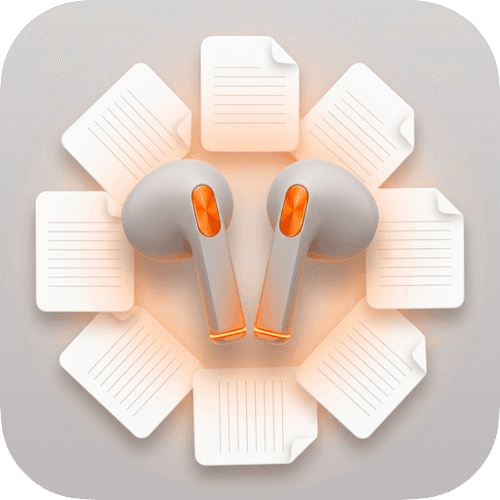
More Than Downloading: Build a Private Podcast Library You Actually Control

Why would anyone want an enhanced podcast downloader? Because saving audio is only the first step. Real value comes when your files, notes, transcripts, and listening history stay in your hands.
Why do we even need an enhanced podcast downloader?
Maybe you know this feeling already:
- a favorite episode disappears from the platform
- you remember a great quote but cannot find the timestamp again
- you want to save a whole series, but end up clicking episode by episode until it gets annoying
We know the feeling too.
In theory, podcast content is everywhere. In practice, a lot of it still feels temporary. If the platform changes, if you lose signal, or if a page disappears, what you thought you had can be gone much faster than expected.
That is why we do not see the enhanced downloader as just another downloader.
We see it as a way to help you actually keep what matters.
The best tools should get out of your way
The idea behind this product is simple.
A good tool should feel less like a system you have to study and more like something that quietly extends what you already want to do.
You should not have to think too much about the tool itself. You should be able to focus on the episode, the note, the quote, or the collection you are building.
That is the direction we are aiming for.
1. Your files stay with you
This is the foundation.
The enhanced downloader is built around local control. Your downloads, your records, and your listening archive stay on your own machine. That matters if you want privacy, reliable offline access, or simply the peace of mind of knowing that your archive is not trapped inside someone else's app.
2. Batch download without the repetitive clicking
Saving one episode at a time is fine until it is not.
If you already know you want a whole show or a whole series, batch download is the feature that saves the most friction. It turns a chore into a background task.
3. Turn scattered files into a usable library
Audio files alone are not enough once you start saving more seriously.
The bigger value comes from keeping metadata, organizing by show, tagging by topic, and being able to find things later without guessing where you put them.
That is how a folder of downloads becomes a real library.
4. Make spoken knowledge searchable
Audio is powerful, but it is hard to search.
That is why transcription matters so much. Once an episode becomes text, a lot changes:
- you can search for names, ideas, and quotes
- you can jump back to a specific section faster
- you can save insights instead of trying to remember them
5. Highlight what is actually worth keeping
Sometimes the value of a podcast is one paragraph, one explanation, or one line that stays with you.
Highlighting and clipping make that easier to keep. Instead of just saving whole files, you can keep the moments that matter.
6. Keep the experience smooth across devices
Whether you use Windows or macOS, the product should feel steady and familiar. Your archive should not become harder to manage just because you changed devices.
This is really about control
In the end, this is not just a feature list.
It is about changing your relationship with podcasts.
Instead of relying on temporary access, you keep the audio. Instead of hoping you remember something later, you can search it. Instead of letting good episodes drift away, you build your own archive on your own terms.
Want early access?
The enhanced downloader is still being built, but this is the direction.
If that sounds like the kind of podcast workflow you want, you can visit the enhanced downloader page and keep an eye on what comes next.
Image by Ratna Fitry from Pixabay